Phones, tablets and apps
In the browser
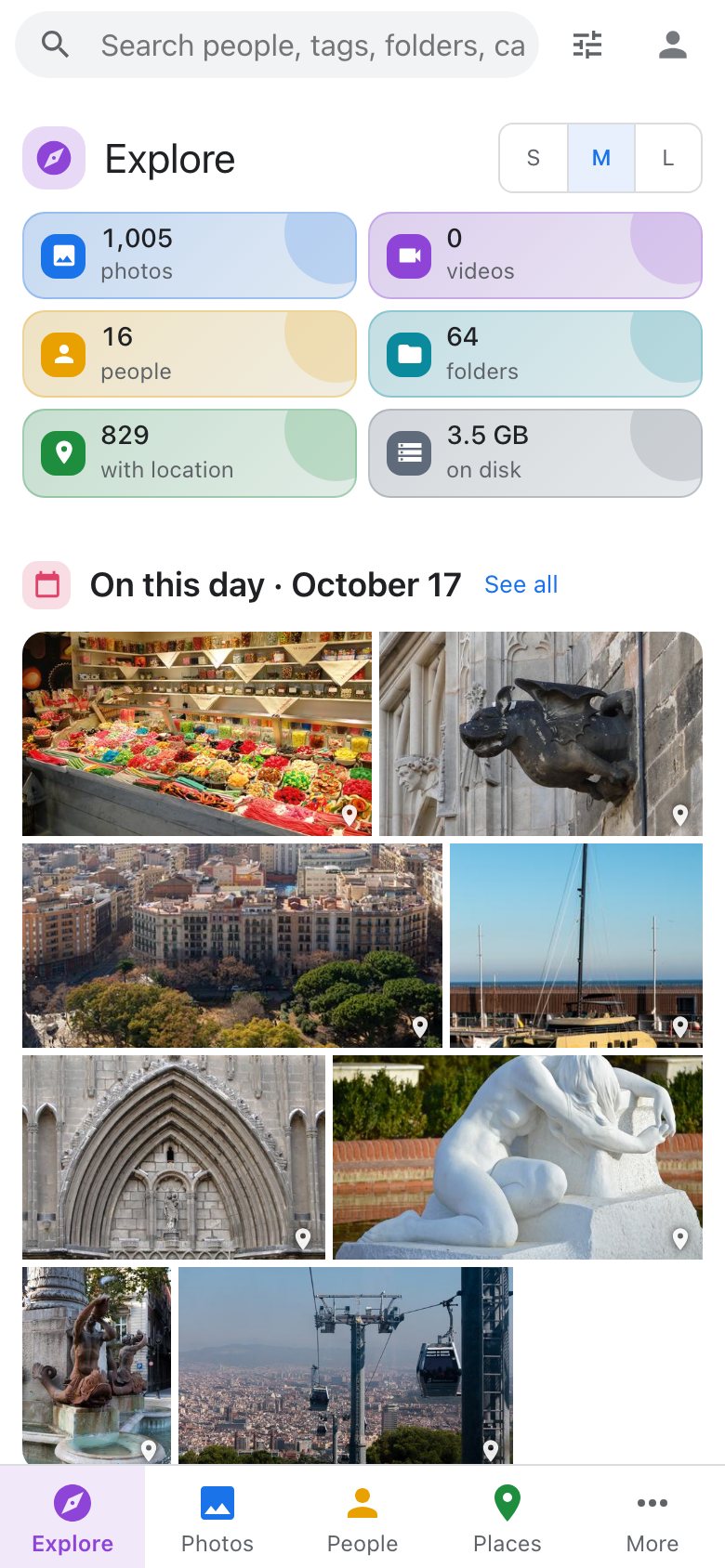
iopix adapts to any screen. On a phone:
- a bottom tab bar carries Photos, Explore, People and Search, with the rest under More,
- photos are swiped through,
- dialogs slide up as sheets,
- everything stays clear of the notch and the home indicator.
Install it like an app
Over HTTPS, iopix installs as an app with its own icon and full screen:
- iPhone and iPad (Safari): Share › Add to Home Screen.
- Android (Chrome): menu › Install app.
- Desktop Chrome or Edge: the install icon in the address bar.
On Android the installed app is also a share target: share photos to iopix and they open in Import. Photos and search always come from your server, so what you see is never out of date.
Settings › Display › Name sets what iopix calls itself: the top of the page, the browser tab and the installed app's name.
Native apps for Apple devices
Native apps are in testing:
| App | What it does |
|---|---|
| iPhone and iPad | native Explore, viewer and photo screens, sharing, uploads from the photo library, and sign-in that keeps working as you move from Wi-Fi to cellular |
| Mac | the same app on the Mac, with a menu bar icon |
| Apple TV | slideshows, favorites, On this day, Then and now and random photos on the big screen |
They connect to your own iopix server; there is no account to create anywhere else.