Maintenance
Maintenance is the admin's toolbox. It has four tabs.
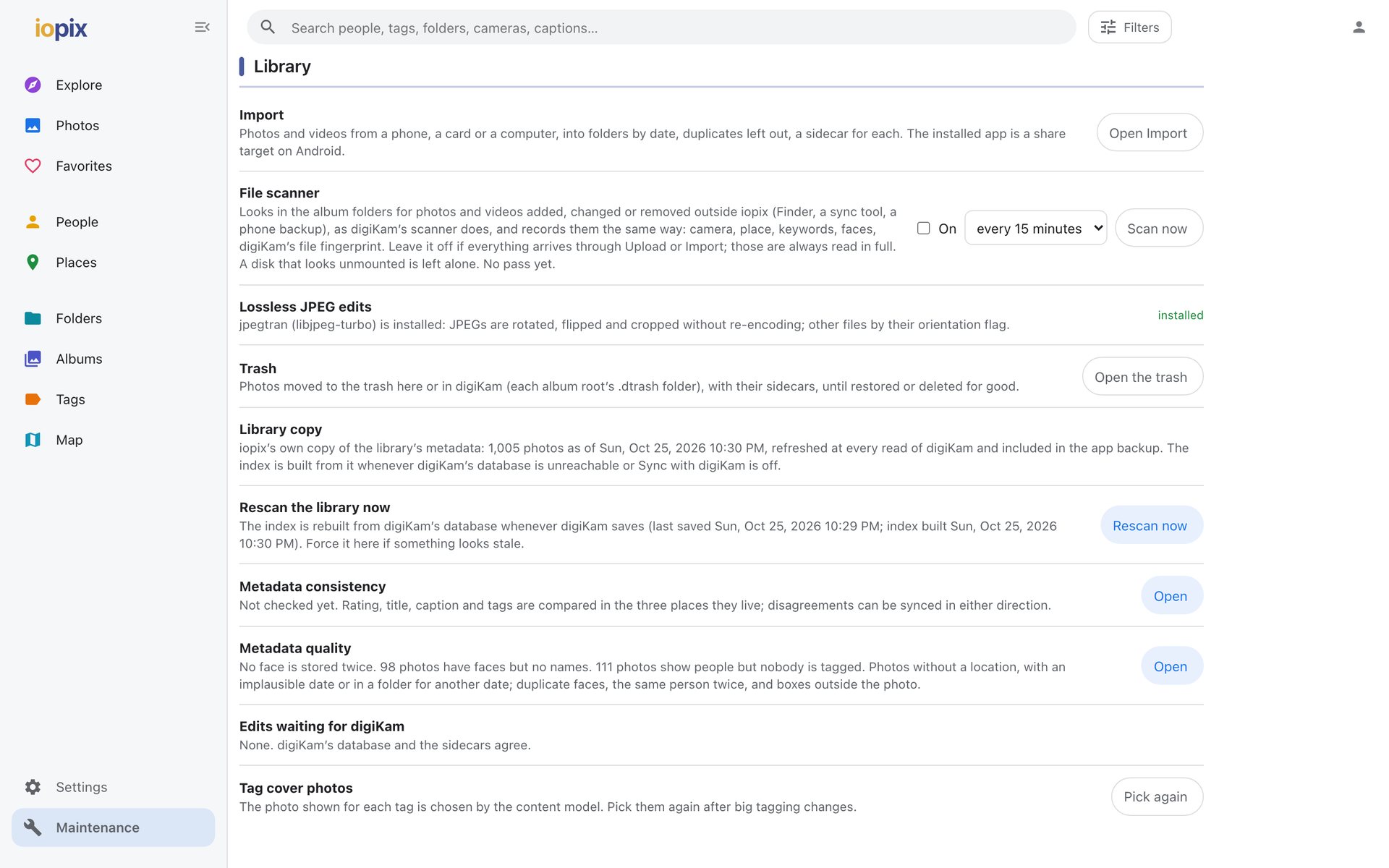
Library
| Tool | Does |
|---|---|
| Import | add photos and videos, filed by date |
| File scanner | pick up files added, changed or removed outside iopix |
| Lossless JPEG edits | checks that the lossless rotate and crop tool is installed |
| Trash | everything in digiKam's trash |
| Library copy | iopix's own copy of the library, and when it was last compared with digiKam |
| Rescan the library now | rebuild the search index |
| Metadata consistency | compare database, sidecar and file, and fix what disagrees |
| Metadata quality | missing locations, face problems, and more |
| Edits waiting for digiKam | changes in sidecars not yet in digiKam's database, with Apply to digiKam database |
| Tag cover photos | choose a picture for every tag automatically |
AI analysis and models
One row per feature with its model: download, switch, remove, and compare the models. Below it, every background job with progress, Check for new photos now and Run again from scratch. See AI analysis.
Storage and backups
The size of each part of the data folder, with what can be done about it on the same row, and the free space on the disk. Download a backup offers:
- digiKam database: a consistent copy of
digikam4.dbas it is right now, or a fresh dump for MariaDB, - iopix data: iopix's database as SQLite, the content-search index, and a README with the restore steps.
iopix
| Tool | Does |
|---|---|
| Version | the installed version, Check for updates and Update now |
| Edit log | every change to every photo, with Undo |
| Server log | the end of iopix's own log, filtered by level or text, and a download of the whole file |
| MCP update token | the admin token for the MCP server's admin tools |