iopix

A web companion for your digiKam library

Browse, search and look after your photos from any browser, phone or TV. iopix reads the library digiKam already keeps, and every change it makes is written back the way digiKam writes it.
photos.example.com
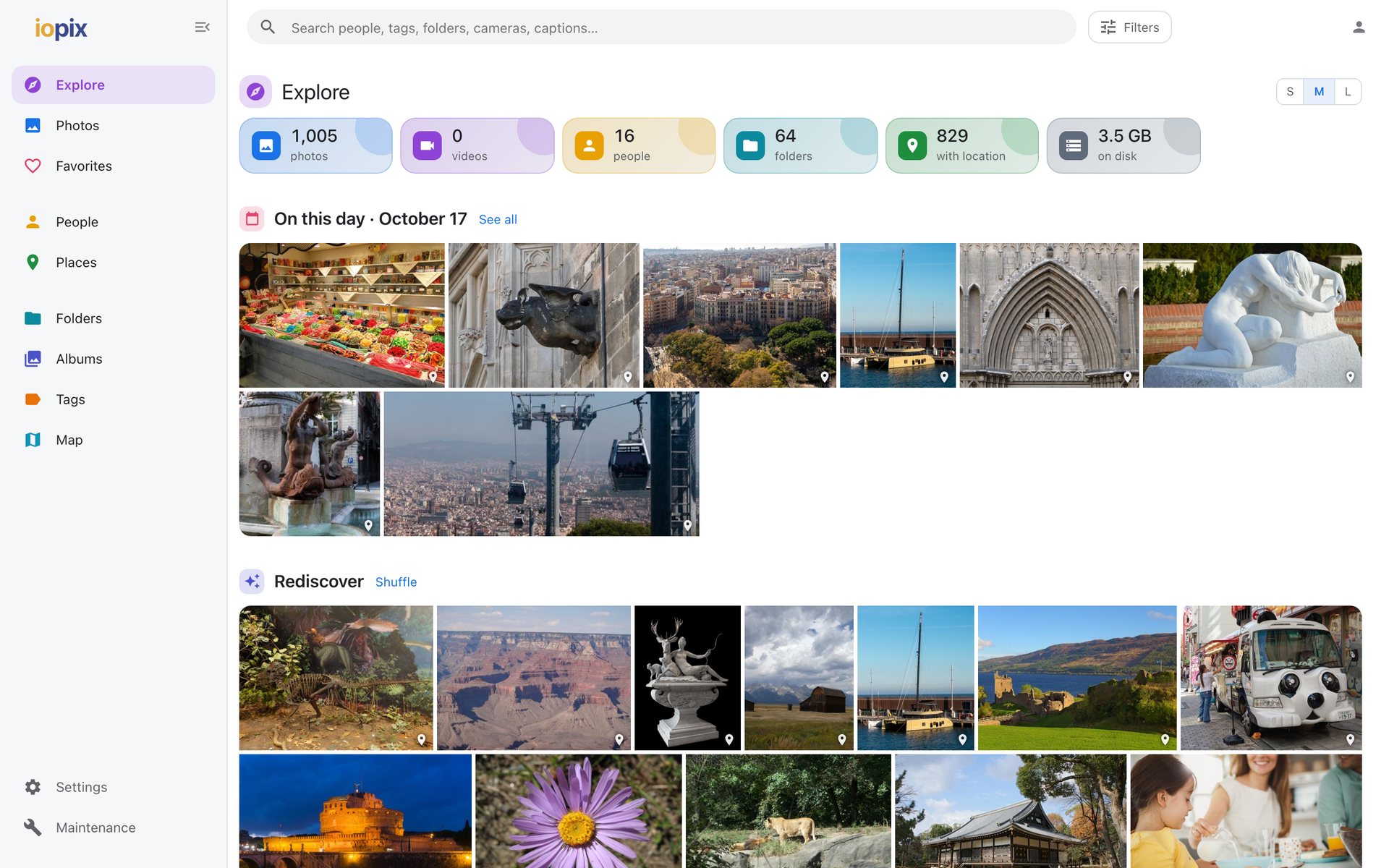
iopix Explore page: library totals, photos from this day in past years and a shuffle of older ones
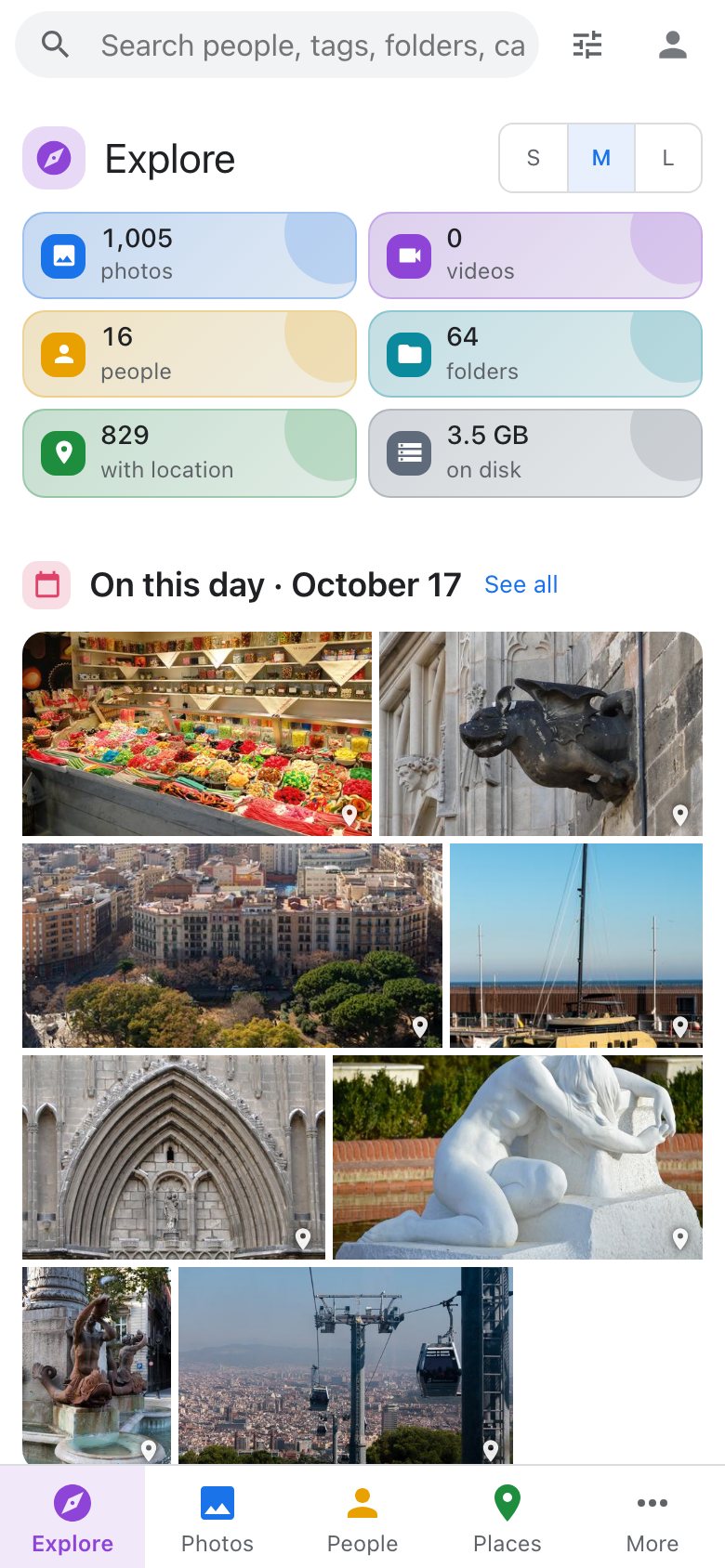
iopix Explore on a phone

What it is

Your digiKam library, everywhere you are

digiKam is a superb desktop photo manager. iopix is the other half: a small web server that sits next to your library and lets the whole household see it, search it and help keep it tidy, from any device on your network or securely from outside.

Works with the library you haveNo import, no copies of your photos. iopix reads digiKam's own database, on SQLite or MariaDB, and your folders as they are.
Speaks digiKam's languageRatings, captions, tags, faces, dates and places are written to sidecars and to digiKam's database exactly as digiKam would.
Stays on your serverNo cloud account, no subscription. Even the AI runs on your own machine, and nothing about your photos leaves it.

A look around

Built for looking at photos

A fast timeline of the whole library, an Explore page that brings back old memories, and every piece of metadata one click away.

Features

Everything you reach for, in the browser

From a quick look on the sofa to an evening of naming faces and fixing dates.

🧭
Browse

Explore and the timeline

One smooth timeline of every photo and video, grouped by day, with a year scrubber.

  • On this day, Rediscover, Then and now
  • Folders, albums, tags, favorites
  • Events and trips found for you
Explore and browsing →
🔎
Search

Find anything

Type a name, a place, a tag or a camera and pick from instant suggestions, or just describe the photo.

  • Chips that combine
  • Filters with live counts
  • Smart albums from any search
Search and filters →
🙂
People

Faces and people

Everyone digiKam knows, with their face as an avatar. Name unknown faces in look-alike groups.

  • "Looks like" suggestions
  • Find faces nothing has marked yet
  • Family groups and sorting
People and faces →
🗺️
Places

Maps and places

Every geotagged photo on a clustered map, and places from country to town, worked out offline.

  • Drag photos onto the map to place them
  • Satellite and Street View
  • GPS track matching
Places and the map →
✏️
Edit

Editing digiKam understands

Ratings, titles, captions, tags, dates, locations and faces, for one photo or a whole selection.

  • Lossless rotate, flip and crop
  • Import, move, rename, trash
  • Tag manager and metadata tools
How editing works →
↩️
Undo

An edit log that forgets nothing

Every change, by whom and when, with the values before and after, kept for good.

  • Undo any change
  • Restore a sidecar or the original file
  • Bring back deleted photos
The edit log →
✨
Local AI

Smart, and private

Search by what is in a photo, read text in pictures, spot blurry shots and bursts, all on your own CPU.

  • Content search and descriptions
  • Objects, text, sharpness
  • Similar photos and duplicates
AI analysis →
👪
Family

Accounts for everyone

Open browsing, or sign-in for all. Viewers, editors and admins, with one-tap profiles for the kids.

  • Private and shared albums
  • Sign in through Cloudflare Access and friends
  • Settings that follow you
Users and sign-in →
🤖
Assistants

Talk to your library

A built-in MCP server lets an AI assistant such as Claude search and look at your photos.

  • Read-only library tools
  • Admin tools behind a token
  • Works with Claude Desktop and Claude Code
MCP server →

Careful by design

Your library is precious. iopix treats it that way.

Nothing is written until you ask, and every write is guarded. You can run iopix read-only for years and only turn editing on when you are ready.

Backups firstBefore a sidecar or file is rewritten the original is set aside, and digiKam's database is backed up before anything destructive. Writes stop if the disk is nearly full.
Pixels stay pixelsMetadata writes never touch the picture: a checksum of the image data is taken before and after, and a write that changed it is undone. Only an explicit rotate, flip or crop changes pixels, losslessly where the format allows.
One transactionChanges to digiKam's database go in one transaction with an integrity check before commit, in the same rows and columns digiKam itself uses.
Never overwrites quietlyWorks with digiKam unreachable or sync turned off, and merges back later. Where both sides changed, you get a choice, not a surprise.
digiKam's own trashDeleted photos go to the same trash digiKam uses, so either program can restore them.

Read how editing and backups work →

On every screen

Phone, tablet, laptop, TV

The web app adapts to any screen and installs like an app. Native apps for Apple devices are on the way.

🌐
Available

Any browser

Desktop, laptop or tablet, light or dark. Install it from the browser for a full-screen app.

📱
Available

Phones

Swipe through photos, a bottom tab bar, sheets that slide up, and Add to Home Screen.

🍎
In testing

iPhone, iPad and Mac

Native apps with a native photo viewer, sharing, uploads and offline-friendly sign-in.

📺
In testing

Apple TV

Slideshows, favorites, On this day and Then and now on the big screen.

Phones, tablets and apps →

Get started

Up and running in minutes

iopix runs anywhere Python or Docker runs: a home server, a NAS, a Proxmox container or the Mac digiKam lives on.

Pick an install

Docker, a Proxmox container, the Linux installer or a plain checkout. Which one?

Point it at digiKam

Your photo folder and digiKam's database, SQLite or MariaDB. Connecting

Open it

Browse at port 8600, then put it behind HTTPS to use it from anywhere. HTTPS

Invite the family

Create accounts, link them to people, and turn on the features you want. Accounts